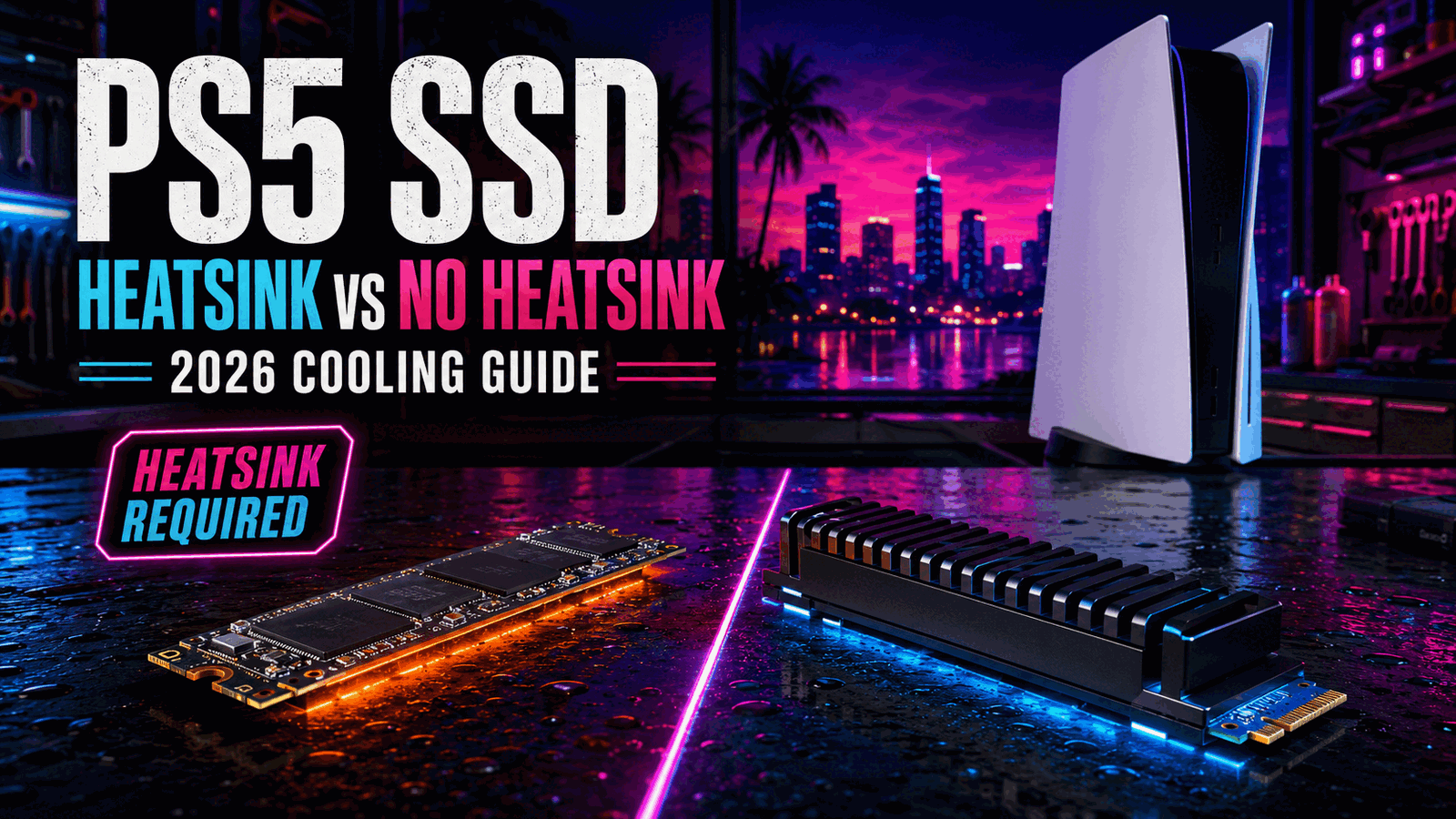
PS5 SSD Heatsink vs No Heatsink
Learn why PS5 M.2 storage needs effective heat dissipation and whether to buy a drive with a built-in heatsink or add one yourself.
Table of Contents
| ›GearCheckpoint Verdict | ›Why Cooling Matters | ›Heatsink vs No Heatsink | ›Recommended Upgrades |
| ›Best Cooling Route | ›Buying Checklist | ›PS5 Heatsink FAQ |
Use a heatsink—preinstalled is the simplest choice.
Sony requires effective heat dissipation for an M.2 SSD installed in a PS5. A drive with a correctly sized factory heatsink minimizes compatibility and installation mistakes, while a bare SSD is acceptable only when paired with a suitable add-on cooling structure.
Quick Take
The safest purchase is a PS5-compatible Gen4 M.2 SSD with its heatsink already installed. It arrives as one tested assembly and reduces fitment uncertainty.
Bare SSD Option
A no-heatsink SSD can work when you attach a compatible single-sided or double-sided cooling structure that remains within Sony’s dimensional limits.
Do Not Double-Stack
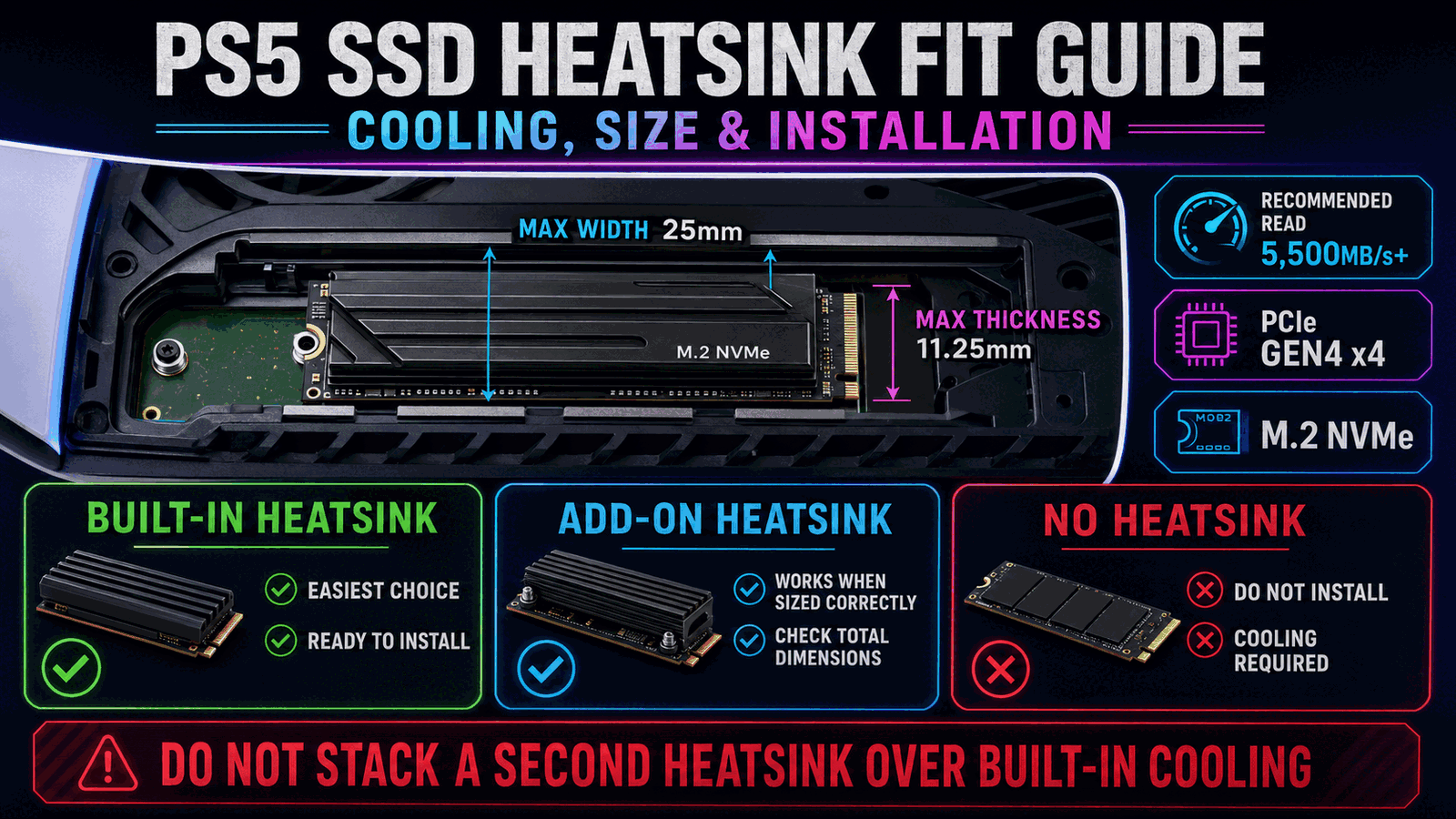
Sony advises against adding another heatsink to an SSD that already has one. Extra layers may interfere with fit and can reduce the effectiveness of the built-in cooling design.
Why the PS5 Requires SSD Cooling
High-speed NVMe drives generate heat during sustained transfers and gameplay. The PS5 expansion bay is enclosed, so Sony requires a heat-dissipation mechanism such as a heatsink or heat-transfer sheet.
Cooling does not make an incompatible drive compatible. The SSD must also meet the interface, capacity, form-factor, and recommended speed requirements.
A properly fitted heatsink helps move heat away from the controller and flash components while remaining inside the expansion bay.
Built-In Heatsink Advantages
Factory-heatsink models reduce assembly work and make it easier to verify the final dimensions before purchase. Many are marketed specifically for PS5 installation.
The tradeoff is that heatsink-equipped versions may cost more than the same bare drive. That premium can be worthwhile for a straightforward installation.
When an Add-On Heatsink Makes Sense
An add-on heatsink is useful when you already own a compatible bare SSD or find a strong sale on one. The total SSD-plus-heatsink dimensions must remain within Sony’s limits.
Install thermal pads and the heatsink according to the manufacturer’s instructions. Poor contact, loose hardware, or an oversized cooler can create more problems than it solves.
PS5 SSD Heatsink vs No Heatsink Comparison
Sony requires effective heat dissipation and publishes maximum assembly dimensions for the PS5 M.2 slot. Official compatibility guidance.
Recommended Upgrades
2TB SSD With Heatsink
Why We Recommend It: A factory-heatsink SSD is the cleanest option for most PS5 owners because the drive and cooling arrive as one assembly.
Bare 2TB Gen4 SSD
Why We Recommend It: A bare SSD can save money when paired carefully with a correctly sized PS5-compatible heatsink.
Low-Profile PS5 Heatsink
Why We Recommend It: A purpose-built low-profile cooler is the practical add-on for an otherwise compatible bare SSD.
Which Cooling Route Should You Choose?
Buy Preinstalled
Best when you want the fewest installation steps and the easiest compatibility check.
Add a Heatsink
Best when you already own a compatible bare SSD or find a worthwhile price difference.
Never Run Bare
Do not install the drive without effective cooling; Sony explicitly requires a heat-dissipation mechanism.
Buying Checklist
- Confirm the drive is PCIe Gen4 x4 M.2 NVMe.
- Verify the SSD and heatsink assembly is no wider than 25mm.
- Keep total assembly thickness within 11.25mm.
- Do not attach a second heatsink to a drive with built-in cooling.
- Follow the thermal-pad and heatsink manufacturer instructions.
- Update the PS5 system software before installation.
PS5 SSD Heatsink FAQ
Does a PS5 SSD need a heatsink?
Yes. Sony requires effective heat dissipation for an M.2 SSD installed in the PS5 expansion slot.
Can I use a bare SSD if I add a heatsink?
Yes, provided the drive and cooling structure meet all PS5 requirements and fit within the published dimensions.
Is a built-in heatsink better?
It is usually easier and less error-prone, although a correctly installed add-on heatsink can also work.
Can I put another heatsink over the built-in one?
No. Sony recommends against adding another heatsink to a drive that already includes one.
Will a heatsink improve frame rate?
No direct frame-rate increase should be expected. The heatsink is for safe thermal operation of the SSD.
What happens if the heatsink is too large?
The drive may not fit correctly, the expansion cover may not close, or the assembly may be improperly secured.
Affiliate Disclosure
GearCheckpoint may earn a commission when readers purchase through qualifying links. This does not affect our editorial recommendations, product ratings, or compatibility guidance.
Leave a Reply